



Family Camp Schedule
Family Camp Schedule Downloading Directions Download the Google Sheets app from the Play Store (Android) or App Store (iPhone) – without the app, the schedule may not display correctly, and
Family Camp Schedule
Downloading Directions
Download the Google Sheets app from the Play Store (Android) or App Store (iPhone) – without the app, the schedule may not display correctly, and notes on the schedule will not appear. After you have downloaded the app, click the link below to open the schedule. You may have to select your Google account or sign in to your Google account before the schedule opens.
Navigating the Schedule
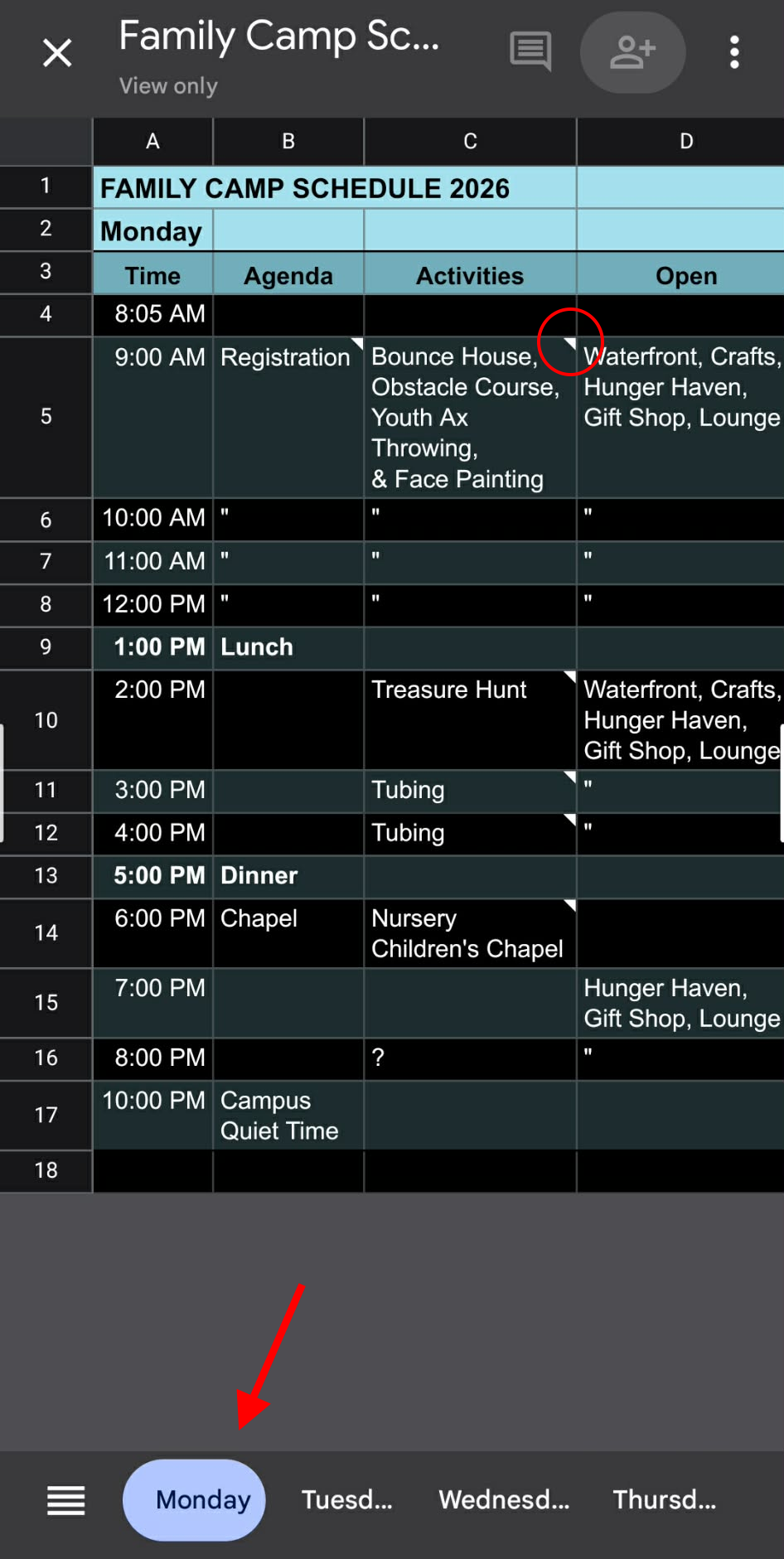
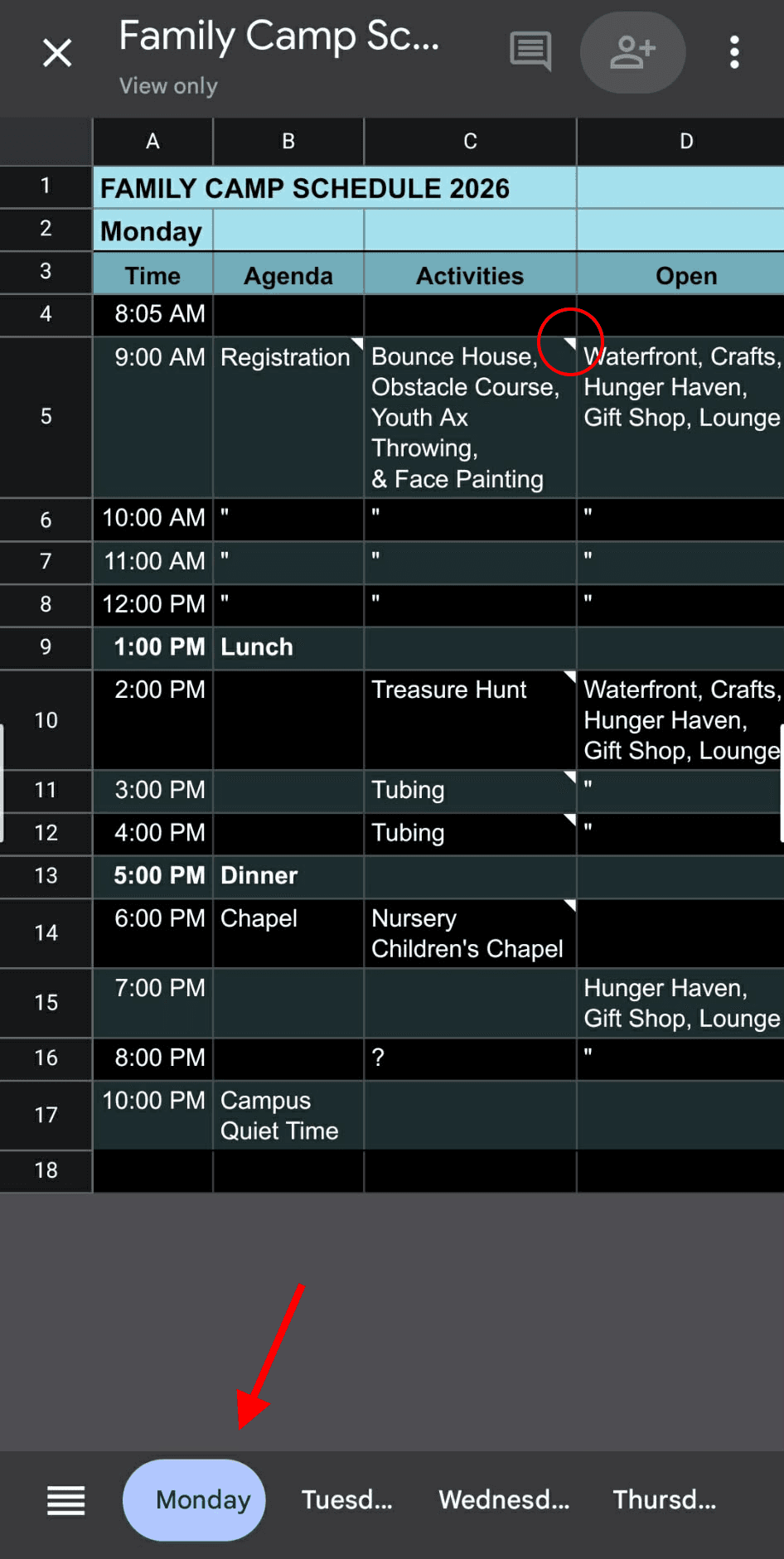
To navigate the schedule, use the “day” tabs at the bottom of the screen to move to a specific day. If not all days are showing at the bottom, scroll to the right on the bottom “day” bar by swiping your finger from right to left. If an activity has further details associated with it, a small triangle will appear in the upper right-hand corner of that activity’s cell. Click on that cell to view the note(s). Some phones require you to click “ok” and then to click the “blue checkmark in the upper left corner of the screen to close the note and return to the schedule fully.